History
Overview
The History section provides a complete view of all operations performed by the user. It is essential for tracking the status of ongoing transfers and keeping a record of past activities.
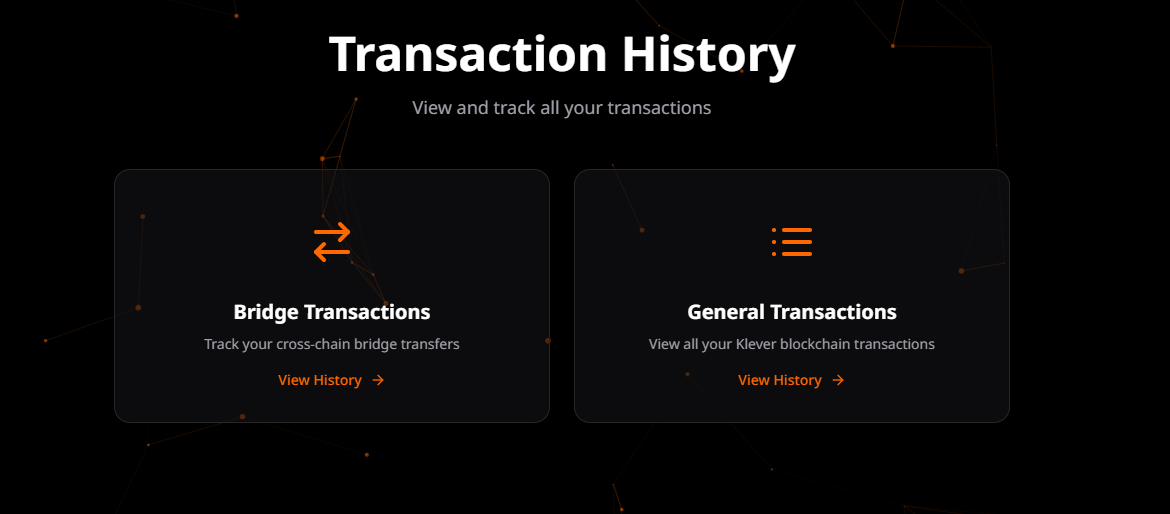
Page Functionalities
Direction Filters (Bridge)
For Bridge transactions, the user can filter the history based on the transfer direction:
- Outgoing: Transactions initiated on the current network.
- Incoming: Transactions destined for the current network.
- Tabs KLV <-> ETH: Allows switching the specific view between transfers from Klever to Ethereum and vice-versa.
Pending Transactions
A dedicated section at the top of the page highlights operations that have not yet been completed.
- Real-Time Status: Visual cards show if the transaction is "Processing", "Confirming", or "Waiting for Signatures".
- Action Required: If a transaction requires user action (such as a pending signature), a prominent action button is displayed.
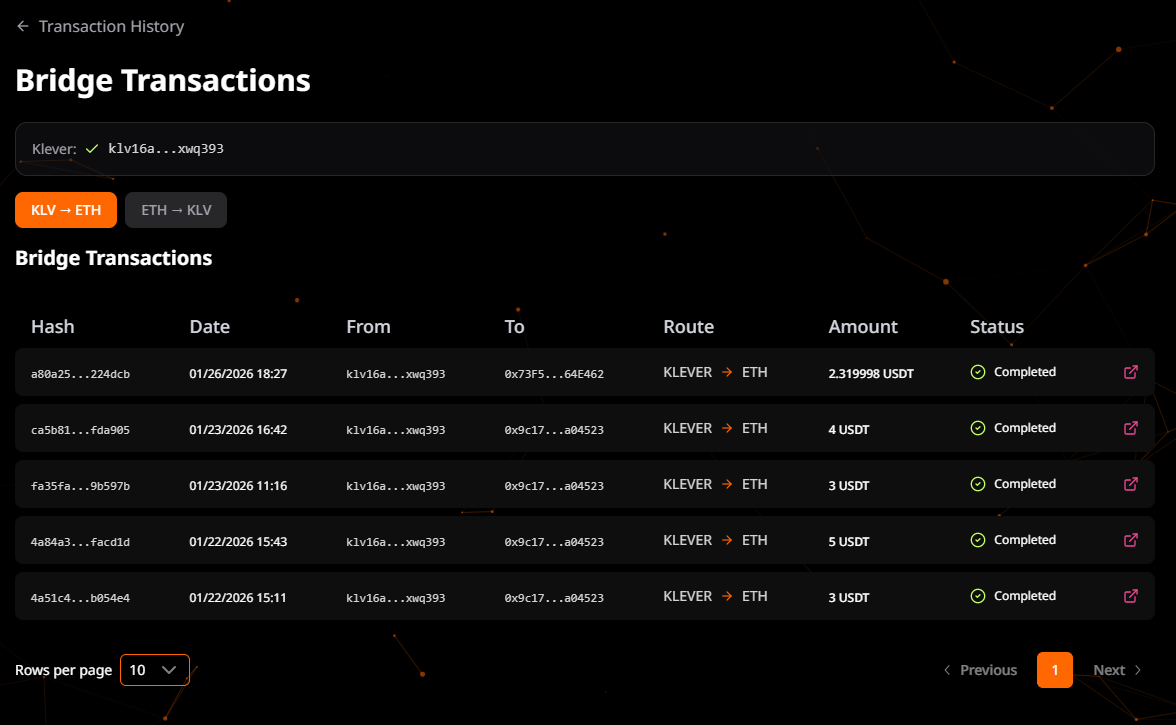
Bridge Transactions Table
The detailed list of all bridge transactions, containing:
| Column | Description |
|---|---|
| Date | Date and time of the transaction. |
| Hash | Unique transaction identifier on the blockchain (Link to Explorer). |
| Route | Bridge direction (e.g., ETH -> KLV). |
| Amount | Quantity and symbol of the transferred token. |
| Status | Final state of the transaction (Completed, Failed). |
General Transactions
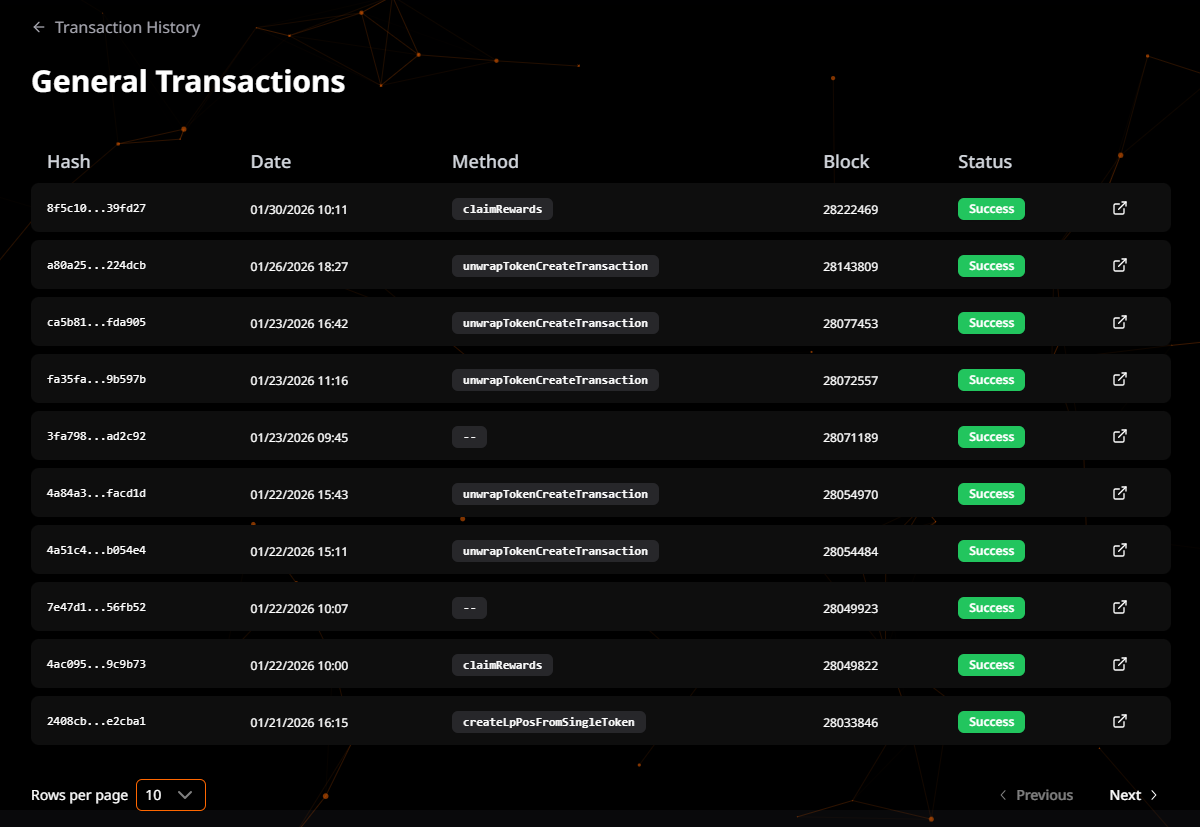
In addition to Bridge operations, the History page also tracks General Transactions. These are interactions made via the Klever Wallet with various DeFi smart contracts within the ecosystem.
- Scope: Includes swaps, liquidity provision, staking, and other contract interactions.
- Unified View: Provides a consolidated log of user activity across the DeFi platform.
- Details: Similar to bridge transactions, it displays the Transaction Hash, Block Number, Method called, and Status.
Status Details
The transaction status informs which stage it is in:
- Pending: The transaction was sent but is still being processed by validators or relayers.
- Completed: The operation was successfully concluded.
- Failed: The transaction failed. In cases of failure, check the explorer for more details or contact support.
Integration
The history combines data from two sources to ensure accuracy:
- Local Storage: Recent transactions made on the current device are shown instantly.
- On-Chain Data: The system scans the blockchain to find deposits and transfers associated with the connected wallet address, allowing history recovery even if the user clears the browser cache.